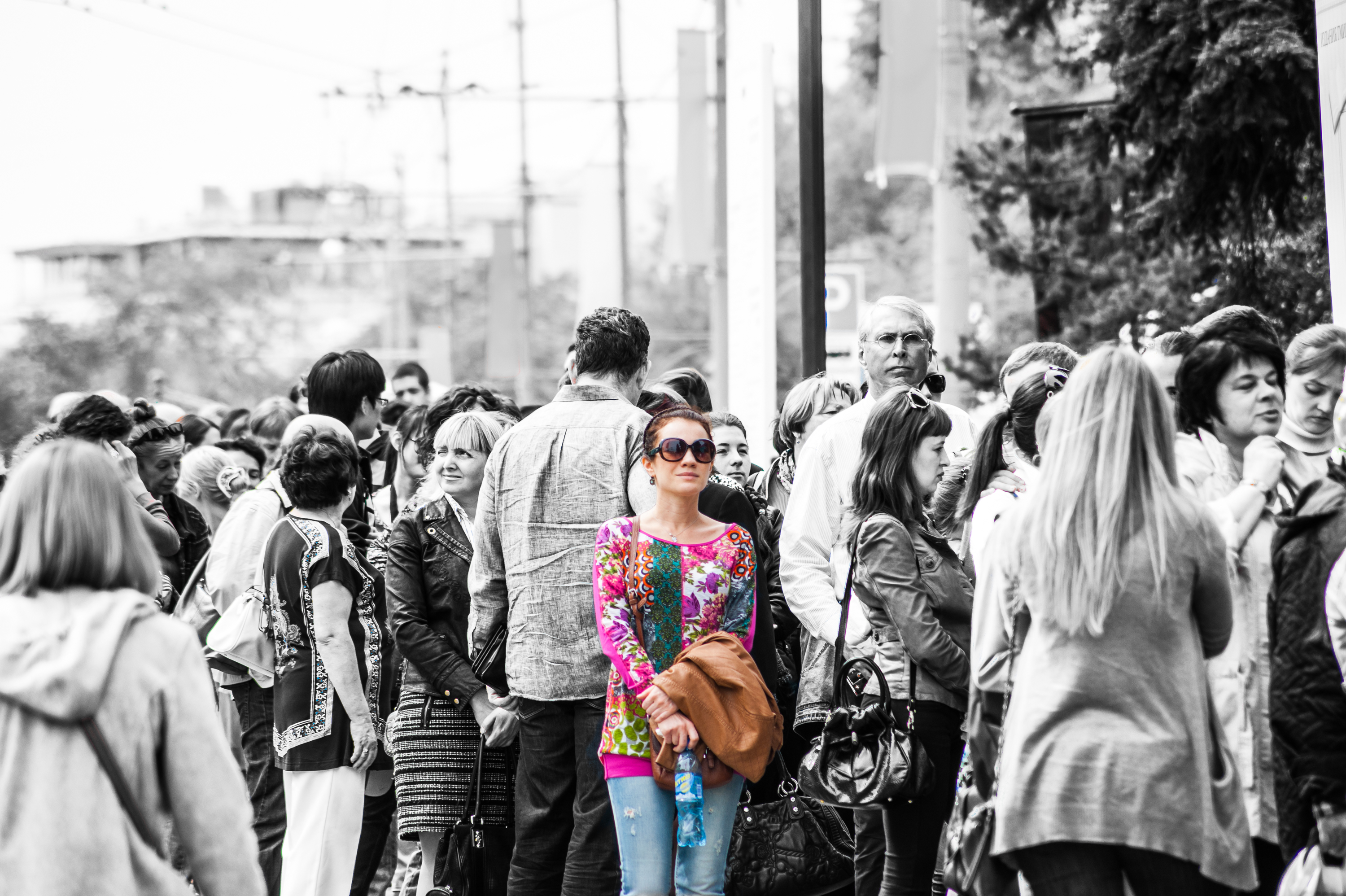
How to make a black and white photo with colored elements - Today I will talk about, how to quickly take a photo in black and white, leaving the colored element.
For work use a program Loytrum. In Photoshop to get a black and white photo with color elements can be at least a, Lightroom but more affordable and any photographer is a program number 1. Although, this is my personal opinion.
Why the need for a color element on black and white background? Primarily this technique are advertising photographers with jewelry shooting, hours, Dummies, and other good. Any colored object on a black and white background attracts attention.
In art photography are also using this technique. Green or red cat eyes, bright object in black and white reality. A lot of problems can be solved, Using this technique. for example, you can emphasize the color of your favorite cat eyes.

In a small video I told, how to quickly make a black and white photo with color elements, the example of street photography.
processing setting black and white area are the same, and that the processing of black-and-white photography in general. But for the correction of the brush main instruments are summarized in a single field. Remove saturation to zero, and further expose the sharpness, clarity and contrast of photos according to the concept of.
What you should pay attention to:
- Editing a picture with a brush correction we have two areas, each of which may have their own settings. The lesson I showed, how to edit quickly with pre-selected settings correct black and white area. color field processing was conducted after the creation of black and white. It can be done in a different way. First edit all the photos selected colors, saturation, and then edit the separate black and white zone with its own settings.
- In my class there was no need for framing. But it does not always work. It is worth remembering, colored object that attracts attention, and improperly constructed composition may worsen the overall perception of photograph.
- If you decide to leave the color element, then think about the relevance and purpose. What do you mean by such a reception? This is important not only for advertising photography, but also for outdoor.
- В Lightroom, if you are using a small monitor, You can skip patches, leave the area untreated. Still, it's fast processing. So that, you need to carefully handle.
- Of course, Photoshop easier processing. You can cut our colored object and each area processing individually on a separate layer. But in field conditions, traveling on a laptop Photoshop - is a complex and heavier than, Laytrum and versatile tool for photos.
Lesson
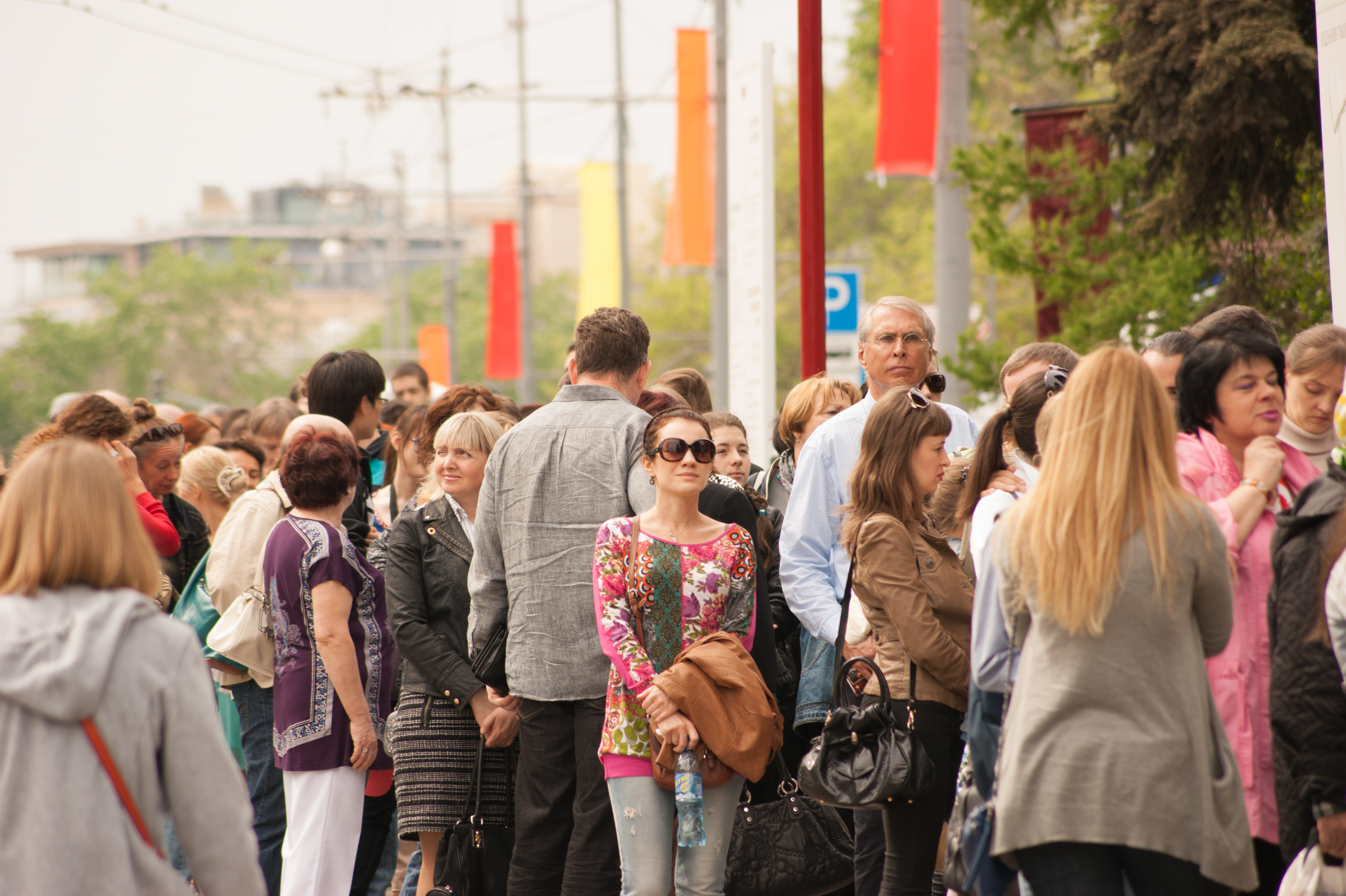
The original photo:
after processing: